Approving a single order
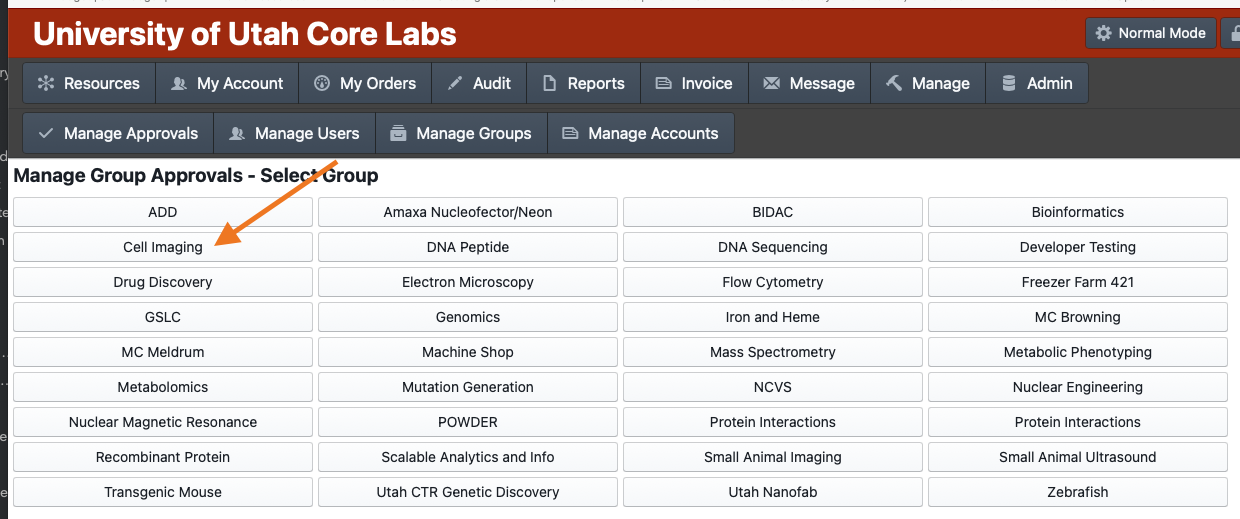
Click on the "Manage" icon in the top bar
Click on "Manage Approvals"
Click on the button for the group that has the order to be approved
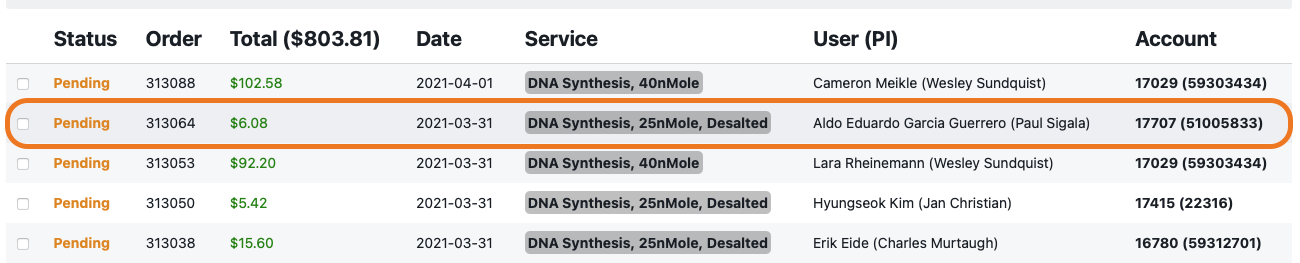
Click on the order row you wish to approve
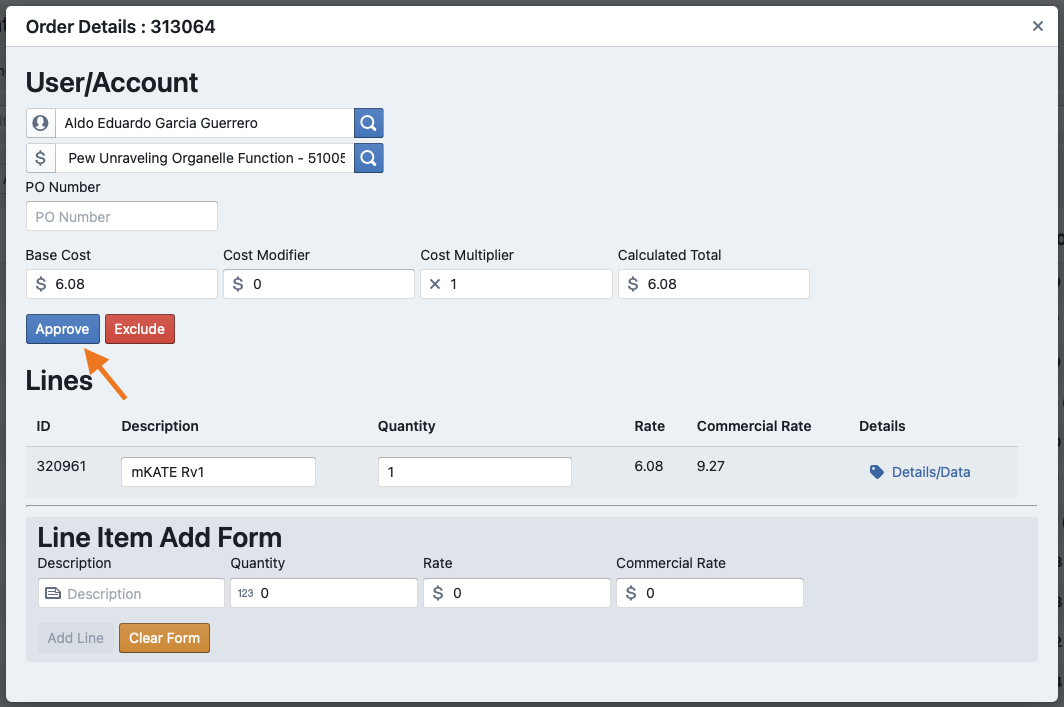
Click on the "Approve" button
Revision #3
Created 2021-04-01 15:11:35 UTC by Elliot Francis
Updated 2021-04-01 15:31:52 UTC by Elliot Francis