# Data Collection Form Sub-system
# Creating a Data Collection Form
### Creating a new service
A new service can be created by clicking the "Create New Service" button located above the service list search box
[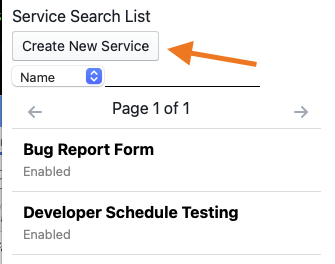](https://bookstack.cores.utah.edu/uploads/images/gallery/2021-04/serviceconfig-createbutton.png)
Newly created services will not exist until saved after initial configuration. This means that some functionality that needs an id number such as creating service rates will not be available until the user click the "Save" button to save a newly created service.
[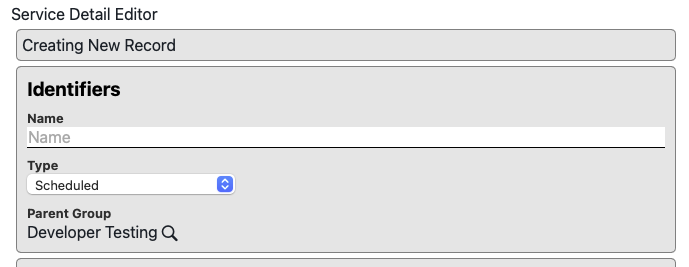](https://bookstack.cores.utah.edu/uploads/images/gallery/2021-04/serviceconfig-newrecord.png)
### Identifiers
[](https://bookstack.cores.utah.edu/uploads/images/gallery/2021-04/QcNserviceconfig-identifiers.png)
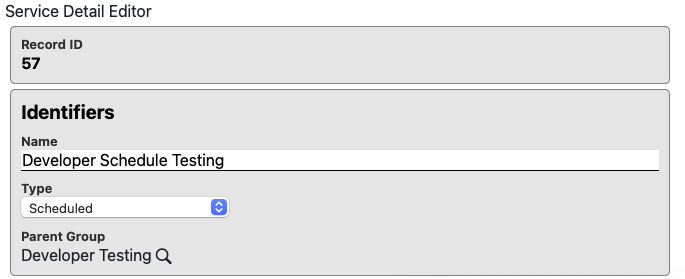
- **Record ID** - The system ID number identifying the service
- **Name** - The display name of the service in question.
- **Type** - The type of the service. Defaults to "Scheduled"
- **Parent Group** - The group to which this service belongs. Defaults to the currently active group but may be changed to any group that the creating user is listed as a manager for
### Visuals
[](https://bookstack.cores.utah.edu/uploads/images/gallery/2021-04/serviceconfig-visuals.png)
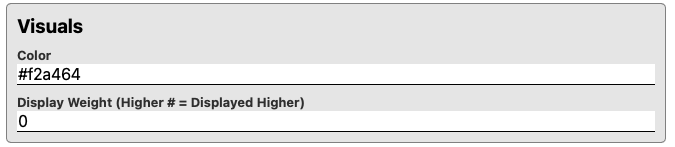
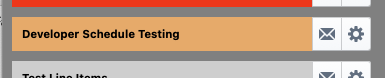
- **Color** - The color of the button to access the service as it appears in the group services list. This field will accept and valid CSS color in string format. Ex:
[](https://bookstack.cores.utah.edu/uploads/images/gallery/2021-04/serviceconfig-colordetail.png)
- **Display Weight** - How high in the list a service will be displayed. Higher values will display first. Ex: 10 will appear after 50
- **Display Path** - For facilities with large numbers of instruments / services it can be helpful to have some additional level of organization. The display path setting allows managers to organize services into folder style nested groupings. The convention follow standard unix pathing conventions. Ex: "/Microscopes/" will display the given service under an expandable section with all other services that have the same configuration.
### Contact Information
[](https://bookstack.cores.utah.edu/uploads/images/gallery/2021-04/serviceconfig-contacts.png)
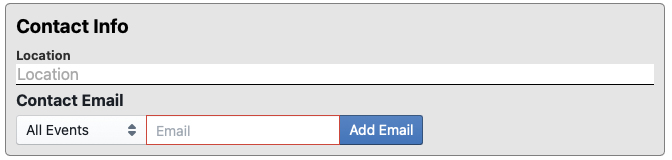
- **Location** - The location the service is located at. This field is optional and will display after the service name on the list of services
- **Contact Email** - The list of email addresses that should be send a notification message. The contact email list can be configured to send emails to any number of addresses. Generally this will be the email of the person or persons responsible for managing the instrument. Email contacts can be configured to receive emails on the following events:
- **All Events** - Send a notification for form creation, deletion, and update actions
- **Only Create** - Send a notification on form creation
- **Only Update** - Send a notification on form update
- **Only Delete** - Send a notification on form deletion
- Note: The contact email configuration does NOT override the general "Notification Verbosity" setting for the service. If a service is configured to suppress all notification messages then no emails will be sent regardless of the contact email configuration. Also note that Line Item orders only generate "Create" notifications.
### General Config
[](https://bookstack.cores.utah.edu/uploads/images/gallery/2021-04/serviceconfig-general.png)
- **Enabled** - Whether this services is actively in use
- Yes - Active
- No - Inactive
- Archived - Inactive and hidden from search list. (Used for removing services from general use and declutting un-used service records
- **Notification Verbosity** - When to send notification emails for actions that occur on the service
- No Messages - No notifications sent
- On Create - Only send order creation notifications
- On Delete Only - Only send event deletion notifications (Delete not applicable for Line Item Orders)
- On Create/Delete - Only order notification when an event is created or deleted (Delete not applicable for Line Item Orders)
- All Messages - Send notification for all event creation, update, and delete actions (Delete and Update not applicable for Line Item Orders)
### Tags
[](https://bookstack.cores.utah.edu/uploads/images/gallery/2021-04/serviceconfig-tags.png)
Tag strings used by the system for categorization and certain actions. No special tags are defined for services at this time.
### Form Configuration Manager
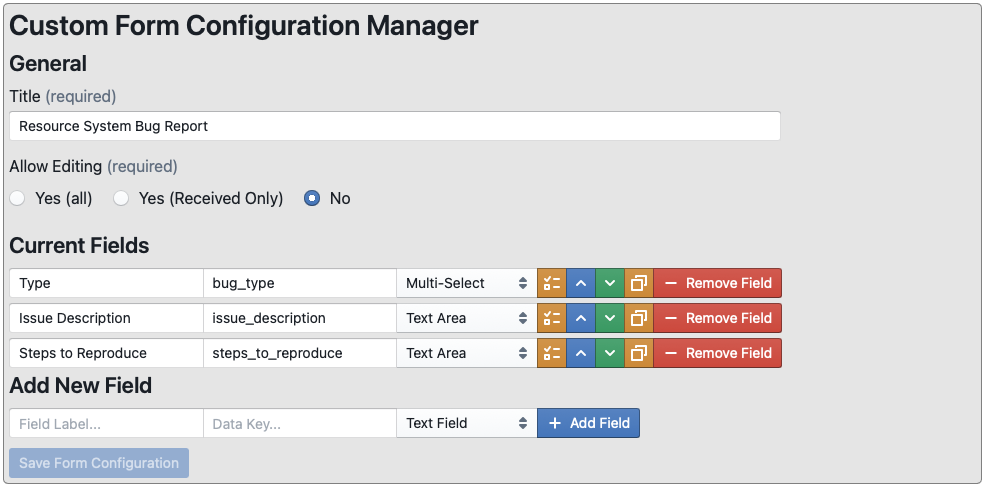
Custom data collection forms can be configured to collect any desired data including digital signatures from submitters.
[](https://bookstack.cores.utah.edu/uploads/images/gallery/2021-04/serviceconfig-dataformconfig.png)
1. **Title** - The title of the form
2. **Allow Editing**
1. **Yes (all)** - Allow users to edit form submissions after submission
2. **Yes (Recieved Only)** - Allow users to edit form submission as long as they are in the "Received" state
3. **No** - Disallow form editing after submission
3. **Current Fields** - Control and edit the forms for this data collection form
[](https://bookstack.cores.utah.edu/uploads/images/gallery/2021-04/serviceconfig-dataformfieldconfig.png)
1. **Label Field** - Used to set the name of the field
2. **Data Key Field** - Defines the name of the storage variable. Should be unique across all fields
3. **Field Type Selector**
- **Markdown Block** - Display a markdown formatted section of text
- **Text Field** - Single Line Text Field
- **Text Area** - Multi-line text field
- **Number** - Floating point number field
- **Select** - Single Item select
- **Multi-Select** - multiple item select
- **Section Divider** - Section Divider with or without title
- **Signature Block** - Email target for signature request
4. **Field Details/Config Button** - Displays field type configurations
- **Markdown Block**
[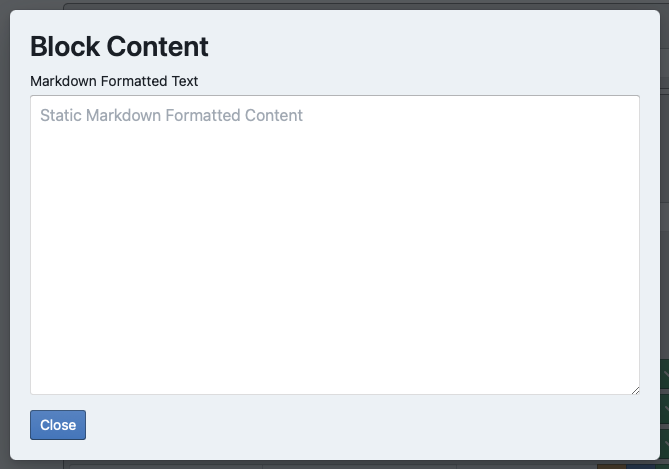](https://bookstack.cores.utah.edu/uploads/images/gallery/2021-04/datafieldconfig-markdown.png)
- **Text Field** - Single Line Text Field
- **Text Area** - Multi-line text field
- **Number** - Floating point number field
[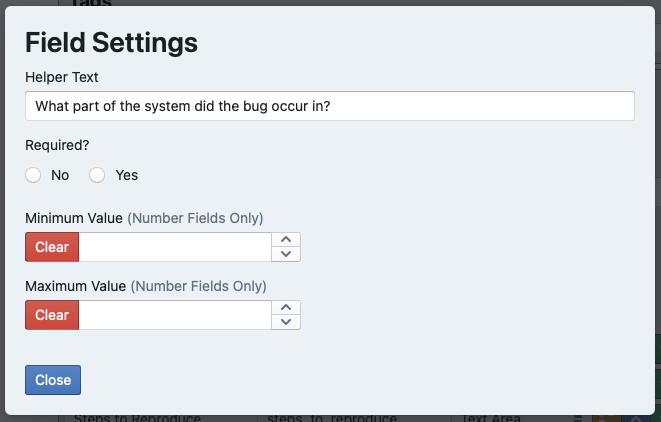](https://bookstack.cores.utah.edu/uploads/images/gallery/2021-04/datafieldconfig-text.png)
- **Select** - Single Item select
- **Multi-Select** - multiple item select
[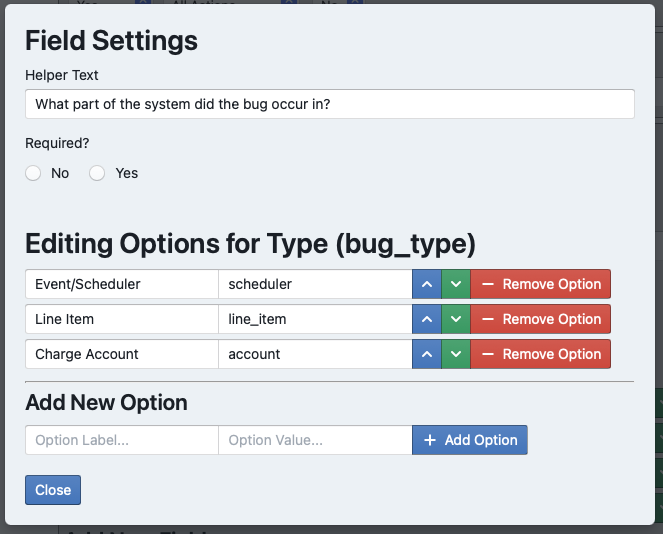](https://bookstack.cores.utah.edu/uploads/images/gallery/2021-04/datafieldconfig-select.png)
- **Section Divider** - Section Divider with or without title
- **Signature Block** - Email target for signature request
5. **Move Field Up** - Alters display position of field
6. **Move Field Down** - Alters display position of field
7. **Copy Field Button**
8. **Remove Field Button**
# Signature Blocks
Custom Data Forms can be used to collect approvals from anyone who has an email address. The email address of the person who is supposed to approve the submission will receive an email with an approval link included in it.
[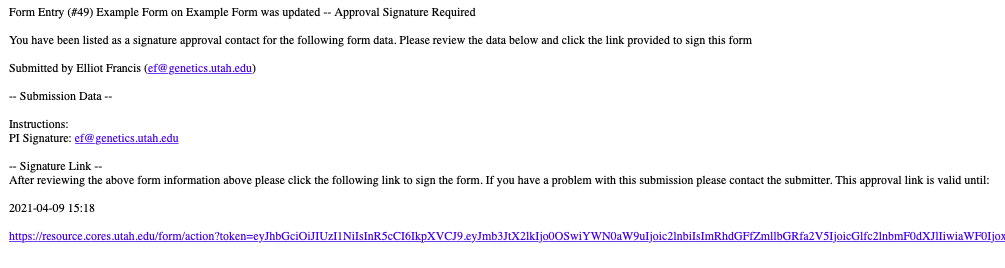](https://bookstack.cores.utah.edu/uploads/images/gallery/2021-04/dataformsignatureemailexample.png)
The can then click on the link and will be prompted to provide a digital "signature" in the form of their full name.
[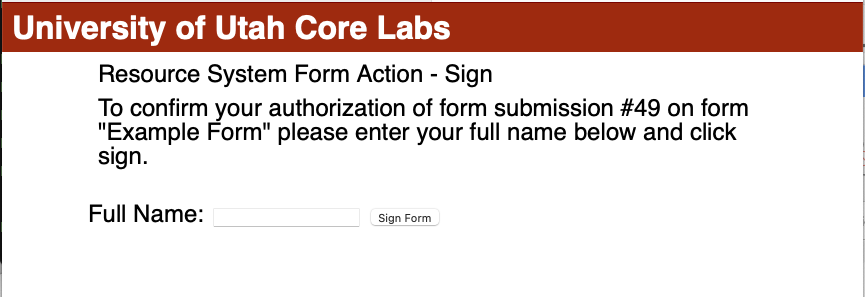](https://bookstack.cores.utah.edu/uploads/images/gallery/2021-04/dataformsignaturesignexample.png)
[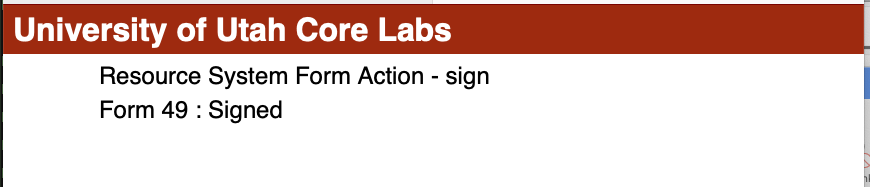](https://bookstack.cores.utah.edu/uploads/images/gallery/2021-04/dataformsignaturesignedexample.png)
If the form has already been signed the system will display a notification AFTER the signature has been submitted.
[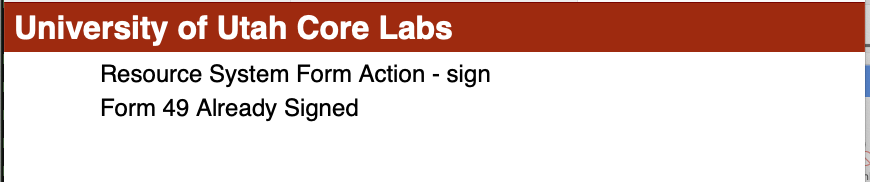](https://bookstack.cores.utah.edu/uploads/images/gallery/2021-04/dataformsignaturealreadysignedexample.png)
# Custom Form Configuration Overview
Custom data collection forms can be configured to collect any desired data including digital signatures from submitters.
[](https://bookstack.cores.utah.edu/uploads/images/gallery/2021-04/serviceconfig-dataformconfig.png)
1. **Title** - The title of the form
2. **Allow Editing**
1. **Yes (all)** - Allow users to edit form submissions after submission
2. **Yes (Recieved Only)** - Allow users to edit form submission as long as they are in the "Received" state
3. **No** - Disallow form editing after submission
3. **Current Fields** - Control and edit the forms for this data collection form
1. **Label Field** - Used to set the name of the field
2. **Data Key Field** - Defines the name of the storage variable. Should be unique across all fields
3. **Field Type Selector**
- **Markdown Block** - Display a markdown formatted section of text
- **Text Field** - Single Line Text Field
- **Text Area** - Multi-line text field
- **Number** - Floating point number field
- **Select** - Single Item select
- **Multi-Select** - multiple item select
- **Section Divider** - Section Divider with or without title
- **Signature Block** - Email target for signature request
4. **Field Details/Config Button** - Displays field type configurations
- **Markdown Block**
[](https://bookstack.cores.utah.edu/uploads/images/gallery/2021-04/datafieldconfig-markdown.png)
- **Text Field** - Single Line Text Field
- **Text Area** - Multi-line text field
- **Number** - Floating point number field
[](https://bookstack.cores.utah.edu/uploads/images/gallery/2021-04/datafieldconfig-text.png)
- **Select** - Single Item select
- **Multi-Select** - multiple item select
[](https://bookstack.cores.utah.edu/uploads/images/gallery/2021-04/datafieldconfig-select.png)
- **Section Divider** - Section Divider with or without title
- **Signature Block** - Email target for signature request
- **Duration (Time)** - Time Only Duration Entry Field
- **Charge Calculation** - Generate a line item charge based on a given set of calculations from other fields in the form
[](https://bookstack.cores.utah.edu/uploads/images/gallery/2026-01/screenshot-2026-01-26-at-10-07-24-am.png)
5. **Move Field Up** - Alters display position of field
6. **Move Field Down** - Alters display position of field
7. **Copy Field Button**
8. **Remove Field Button**
Note that both an Internal and Commercial Cost Equation are required for proper functionality.
[](https://bookstack.cores.utah.edu/uploads/images/gallery/2026-01/Olqscreenshot-2026-01-26-at-10-07-24-am.png)
If a required charge calculation is missing an input or generates a negative/null result value the field will generate an error message and the form will be un-submittable with "(Invalid/Missing Fields)" as the button message.
[](https://bookstack.cores.utah.edu/uploads/images/gallery/2026-01/H8Simage.png)
Forms with Charge Calculations may be configured to automatically generate new orders on submission OR to require manual review after the form is submitted.
[](https://bookstack.cores.utah.edu/uploads/images/gallery/2026-01/image.png)
Form submissions with orders attached to them will have their input fields DISABLED from further editing. Processing status can still be adjusted but inputs will be disabled. Do not create an order for a form submission unless you are sure the inputs are correct.
[](https://bookstack.cores.utah.edu/uploads/images/gallery/2026-01/screenshot-2026-01-26-at-10-29-22-am.png)
[](https://bookstack.cores.utah.edu/uploads/images/gallery/2026-01/PDZimage.png)
[](https://bookstack.cores.utah.edu/uploads/images/gallery/2026-01/Qtoimage.png)
Users submitting forms with charge lines will be required to select an associated charge account. Mangers may change the target field AFTER order creation through the normal approval process for orders.
[](https://bookstack.cores.utah.edu/uploads/images/gallery/2026-01/Q3nscreenshot-2026-01-26-at-10-10-43-am.png)